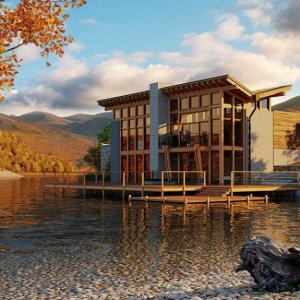
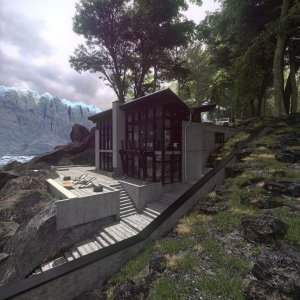
We are Proud to Announce that Got3D will be a regular Sponsor of our Charrettes! (See third post for Prizes)
Hi everyone,
After a while we are back with new challenge. In the spirit of our efforts to make this community ever growing, yet still friendly and warm, we decided to make this a regular event at 3DA, a quarterly challenge...
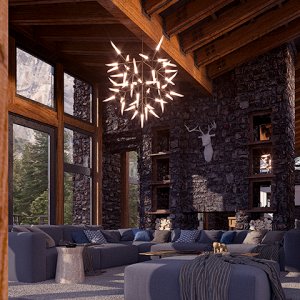
If this goes well, the house theme may be the theme of the year for our challenges, since we have here two stage challenge, exterior, then interior in second phase. Another house is on the way, so there will be plenty of work and fun of course.
And to make it a bit more serious, we will have a regular sponsor for this events (thanks to Got3d who will provide the prizes... read more in later posts).
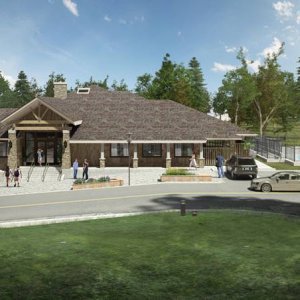
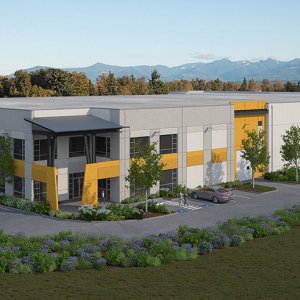
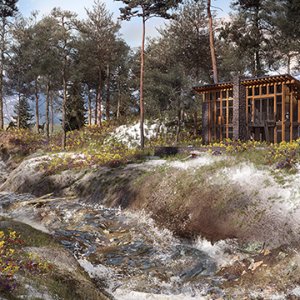
So, here we are with a House Kern by swiss Stoosarchitekten stoosarchitekten - brugg
We find this house interesting for rendering and texturing practice with simple primary form, yet strong and vibrant with lot of potential to make good CG for our portfolios...
- Rules and criteria
1. For this stage, contestants will have to produce exterior images, two would be right measure, one overall and one close up... The model include interior equipment and furniture intended for second stage, which may or may not show in the views so you feel free to remove it if that makes it easier for you to work.
2. Viewpoints are not set, but should be close to some of the photo reference material you see, so we can latter compare the images easier
3. Idea is to have textured rendering as complete as possible, all that makes convincing exterior rendering
4. Contestant should post at least one WIP image before posting final rendering
5. Deadline will be after two months from now, exact date will be determined later on...
6. Judging, as always, will be conducted by 3dallusions team.
7. By downloading and/or using these files you agree to:
a.) All credit for the materials provided should go to the author of the model and '3DAllusions' when posting images off site.
b.) You are free to post the renders to other sites and forums, but you must link to this site/challenge thread.
c.) You are free to use renderings for your personal portfolio with appropriate credit to author and 3dallusions site...
In this post we will provide different file formats... we will hopefully make some new conversions latter and they will be uploaded here, so this is the place to check for that...
The following files are too large to attach and have just been exported and not cleaned up or optimized and are just intended as a starting point. If you improve any of these or create other formats, feel free to send them to us and we will share them with the rest of the community.
We are excited to announce that our good friends at -Got3D- have agreed to sponsor our challenges, which we plan to organize on a quarterly basis. Be sure to stop on by Got3D and check out their terrific product line.
The Prize package they have provided for our first collaborative effort is:
1st Prize - $173 Value
55 Tree Textures
44 Ornamental Grass Textures
63 Shrub Textures
Ok people, we have top three
1. ccnnkktt #391
2. Segocarib #300
3. Am34012 #703
Of course, it was not easy, even polemical debate between us to make this decision. Lot of great work and we would like to mention some
- Stakamatsu
- DMR
- Istaticl
- Rangaumbas
- Fietter
- 540u1
- JJsalang
- Pagauthrie
- Mike.Hahn
and more... order here is not relevant...
We would like to congratulate to the winners and to all the participants...
Send chats : you just have to enter the text in the dedicated input field and then to validate it by pushing the return key ou by clicking on the OK button.
Format the chats :
once you un-collapse the chatbox formatting toolbar by clicking on the BBCode button, you have access to different formatting options for your chats. You can format a chat by selecting a part (or the totality) of it and then select one of the buttons/list. You can also add empty formatting tags by selecting nothing and clicking one of the buttons/menu thus allowing you to add the chat text afterwards between these tags.*
Access to the different channels : you can have access to different channels restricted to only some usergroupds or for specifics use of the chatbox. The different channels are accessible from the buttons on the left of the chatbox.*
Edit your chats (or others chats) : the edition of a chat can be done by a simple double-click on it.*
Use specific commands : some commands can be accessible in the chatbox depending on the will of the administrator(s) of your forum. These commands let you execute specific actions of formatting, management, etc... You will herebelow the information on the command which are accessible to you. You must notice that you are not forced to use the command prefixes (/command_name) when you use them in the channel they are attached to (except in the general channel).*
* : Depending on the settings chosen by the administrator(s) of the forum, you might not have access to all these features.
Bookmarks