|
|
|
|
|
|
Site Sponsors:
|
|
|
|
Site Affiliates:
|
|
Advertisers:
|
|
|
-
Looking for a good way to hone your skills?
Written by Jeff Patton Friday, 29 February 2008 13:57
Often various CG forums will offer monthly/weekly challenges/charrettes. These are excellent ways to improve your CG skills. Generally these monthly/weekly challenges do not offer official prizes or even designate anyone as a "winner". Which is great because it makes for a very friendly and inviting environment. Now even though you probably won't receive a prize for your efforts you will still benefit from the feedback/advice that others provide on your work.
By participating you'll often pick up a new tip/trick that allows you to render more efficiently or makes your work more realistic, etc.. Therefore my tip today is to go out and participate in these challenges/charrettes regardless of your current skill set. BTW, if your fairly new to 3d don't have the mindset that your work isn't up to par so you can't join...jump in! At the end, I bet you'll be glad you did.
As you're probably aware there are many CG forums scattered about the internets. Here's a couple to get you going.
If Architectural Visualization is your bag, then check out the Vizdepot - 3D - Architect, Autodesk Viz, AutoCAD, 3D Studio Max, 3DS, Max, 3D Art, News, Forum, Vray render, 3D Images, Architecture, Visualization, Interior, Rendering, 3D render, Brazil render, 3D Wallpaper, Vray Render, Archvision, Evermotion, and http://www.3dallusions.com/forums/de...ed-challenges/. They currently have some nice charrettes underway right now, and you can still participate in older ones.
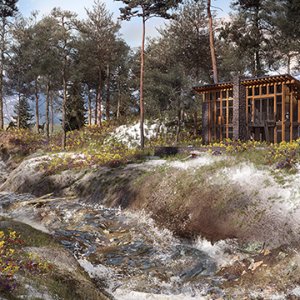
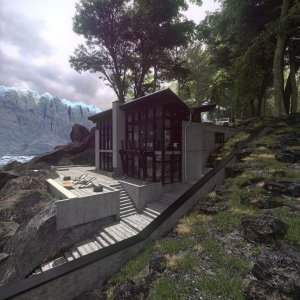
Just for giggles, here's my preliminary entry for the "night" version of their wonderful scene (pay no attention to my horrible moon overlay..lol)
(click image to enlarge)

(House model provided by Mark Couture)
There's also some great lighting challenges right here at CGSociety:
CGTalk - Lighting Challenges
That should be enough to keep you busy for a while. Join in, learn, help others, and have fun.
Actual Blog Entry:
Looking for a good way to hone your skills?
-
Similar Threads
-
By neil in forum Architectural & CG Resources
Replies: 11
Last Post: 10-28-2010, 08:21 AM
-
By neil in forum Mental Ray
Replies: 14
Last Post: 10-30-2009, 09:21 PM
-
By neil in forum General Discussions:
Replies: 18
Last Post: 07-15-2009, 07:20 AM
-
By neil in forum General Discussions:
Replies: 4
Last Post: 08-27-2007, 09:30 AM
Chatbox
> General Channel
Chatbox
General help
The MGC Chatbox Evo is really easy to use
You can :
- Send chats : you just have to enter the text in the dedicated input field and then to validate it by pushing the return key ou by clicking on the OK button.
- Format the chats :
once you un-collapse the chatbox formatting toolbar by clicking on the BBCode button, you have access to different formatting options for your chats. You can format a chat by selecting a part (or the totality) of it and then select one of the buttons/list. You can also add empty formatting tags by selecting nothing and clicking one of the buttons/menu thus allowing you to add the chat text afterwards between these tags.*
- Access to the different channels : you can have access to different channels restricted to only some usergroupds or for specifics use of the chatbox. The different channels are accessible from the buttons on the left of the chatbox.*
- Edit your chats (or others chats) : the edition of a chat can be done by a simple double-click on it.*
- Use specific commands : some commands can be accessible in the chatbox depending on the will of the administrator(s) of your forum. These commands let you execute specific actions of formatting, management, etc... You will herebelow the information on the command which are accessible to you. You must notice that you are not forced to use the command prefixes (/command_name) when you use them in the channel they are attached to (except in the general channel).*
* : Depending on the settings chosen by the administrator(s) of the forum, you might not have access to all these features.
Posting Permissions
- You may not post new threads
- You may not post replies
- You may not post attachments
- You may not edit your posts
-
Forum Rules

|
Bookmarks